 Control Tower
 Enterprise
Control Tower is free and open source, and everything else in these docs works without a license. Control Tower Enterprise adds identity, compliance and scale features for companies, with support, and needs a license key.
What's included
| Feature | Status |
|---|---|
| Single sign-on over OIDC and SAML 2.0, with roles from your identity provider's groups | Available |
| Audit log: every change and refused attempt, hash-chained, exportable | Available |
| SCIM provisioning: your identity provider adds, changes, deactivates and removes people, and its groups set roles | Available |
| Audit log to your SIEM: Splunk, Datadog, OpenTelemetry, S3 or a webhook, in order, with nothing lost while the SIEM is down | Available |
| Agent identity: agents authenticate with tokens from your identity provider (Kubernetes, GitHub Actions, Entra ID, Okta, Auth0, Google) instead of keys' secrets | Available |
| Secret managers (AWS, Google, Azure, Vault) and key rotation: credentials read by reference and followed when they rotate; agents' keys rotated on a schedule into your secret manager | Available |
| Organisations and team admins: each team manages its own agents' keys, budgets, people and held calls, and members see only their teams, everywhere in the console | Available |
| Multi-region control plane: configure every region from one control plane; regions serve through its outages, keep their calls to themselves, and share limits and budgets | Available |
| Self-hosted, air-gap available | Available: licenses are checked on your server, with no connection needed |
| 24/7 support with SLAs, dedicated support and onboarding | See support |
| Annual request capacity and volume discounts | In the license. Usage against it is shown; traffic is never stopped |
Features marked Coming are part of Enterprise when they ship; a license covers them without a new key.
Licensing
A license key starts with ctl1. and says whom it is for, the plan, the seats, the requests a year included, the features, and the end date. It is signed by the licensor, and Control Tower checks the signature on your server against a public key built into each release. That check needs no connection, so it works air-gapped. A changed key, or one signed by anyone else, is refused.
Add the key in the console under License, or set CT_LICENSE_KEY on the server (it then can't be changed in the console).
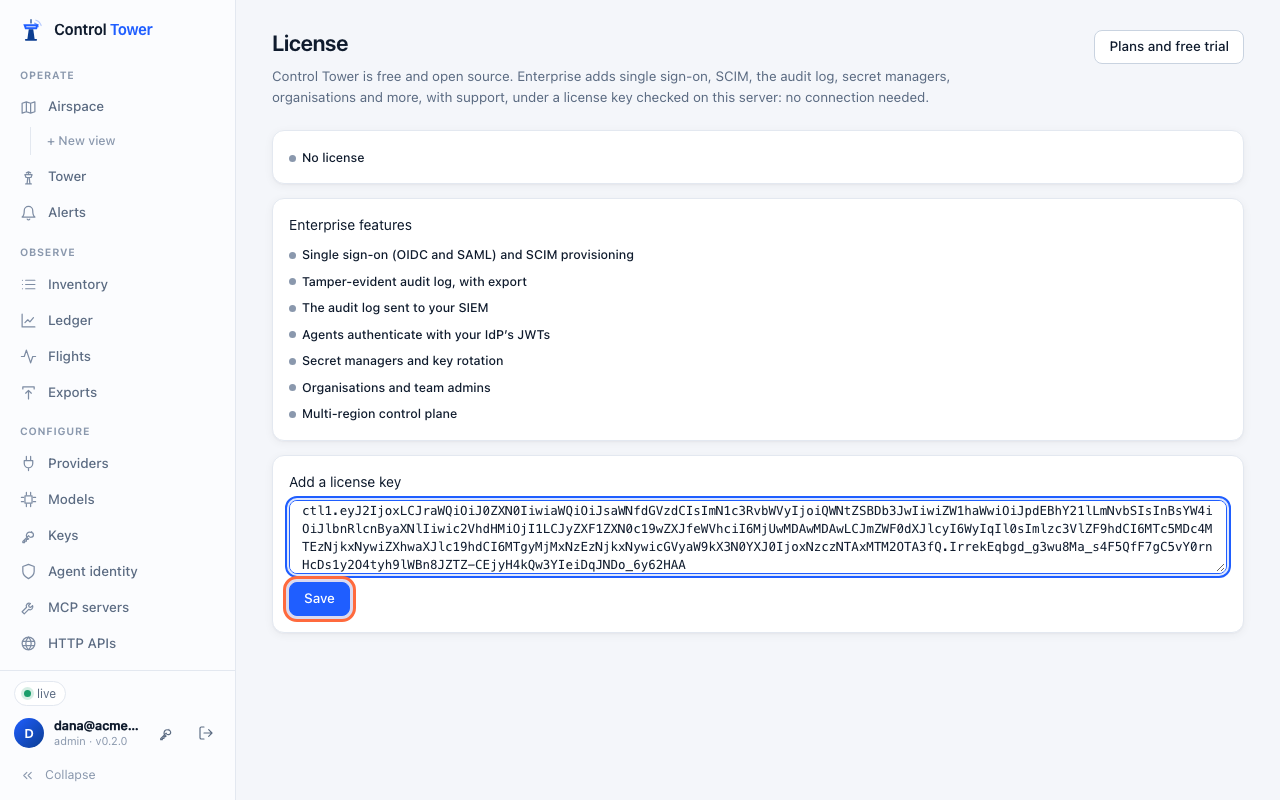
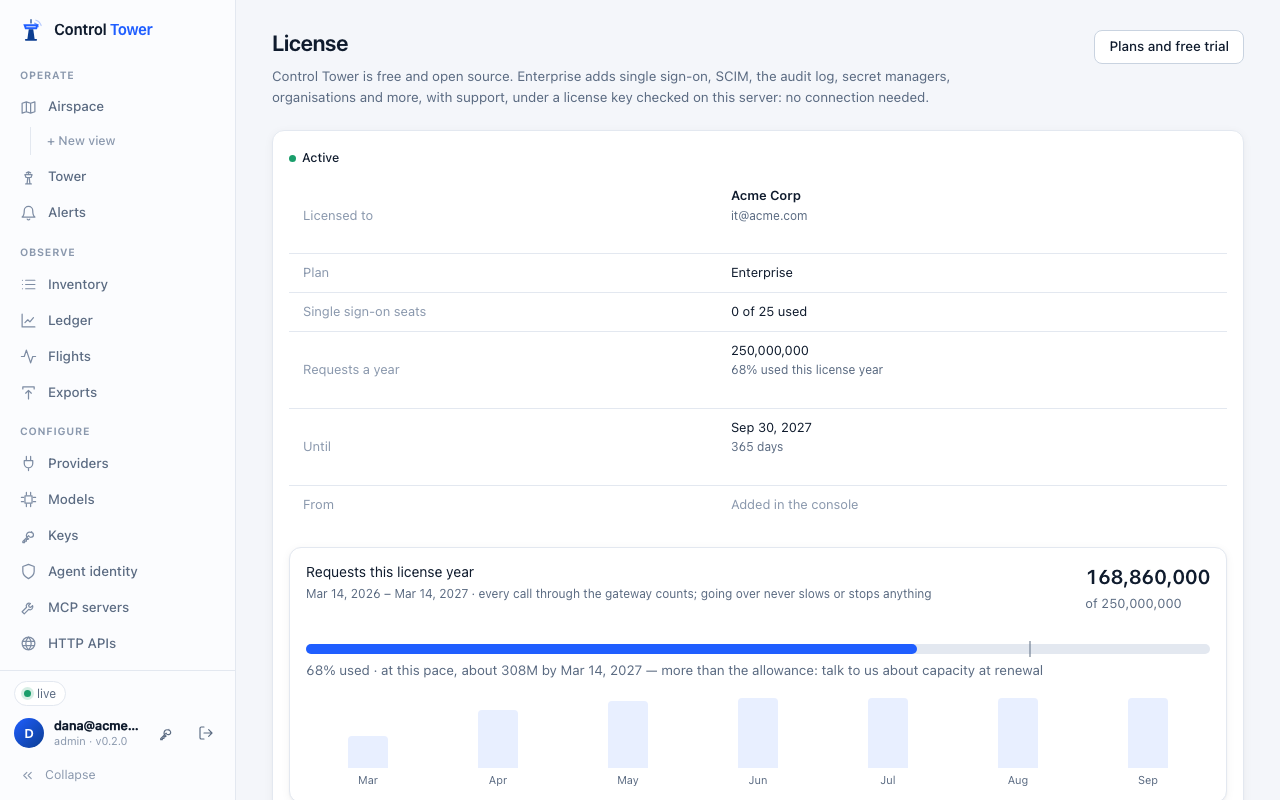
Every instance sharing a database reads a key added in the console. With CT_LICENSE_KEY, set it on each instance.
Seats are the people who sign in with single sign-on or are provisioned by SCIM. Someone who already signs in that way never counts twice. When all seats are taken, new people are refused at sign-in with a clear message; people already signed in aren't affected. People with passwords don't use seats.
Requests a year: see below. Going over is a conversation at renewal; it never slows or stops traffic.
Requests a year
A license includes a number of requests a year, and License shows how many have been used this license year. The count covers every call through the gateway, allowed or not: model calls, tool calls, HTTP APIs and agents calling agents. It is summed across every instance sharing the database.
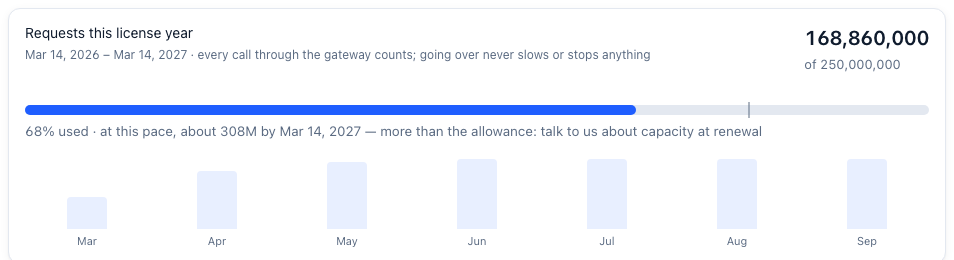
- The license year runs from when your subscription began (a trial: from when it started), then from that date each year. For a key without that date, it runs from when this install first saw it.
- At this pace projects the year from the months so far, once a week has passed, so you can see early if you'll need more.
- At 80%, and again at 100%, a line at the top of the console says so. The audit log records it once each year as
license.usage, and the server logs it. - Going over never slows, refuses or stops anything. It's a conversation at renewal, where more requests a year cost less each (pricing).
What's sent: when Control Tower renews a subscription's key (daily, from the license service), it sends this license year's request count and dates with the key. Nothing else goes: no names, models, prompts or anything about the calls. With CT_LICENSE_SERVER=off (air-gapped), nothing is sent, and the count stays in the console. People who see only their teams don't see the count.
When a license ends
| When | What happens |
|---|---|
| 30 days before the end date | A banner in the console says when it ends |
| After the end date | A 14-day grace period: everything keeps working, with a banner, while it renews. A trial has none: it ends on its end date |
| After the grace period | Enterprise features stop. Single sign-on is no longer offered, and passwords work again even if you'd turned them off, so nobody is locked out. The audit log stops recording, and you can read it again once a license is added. Gateway traffic, gates, approvals and everything open source carry on as before |
Adding a renewed key brings everything back, with the audit log's history and single sign-on settings as they were.
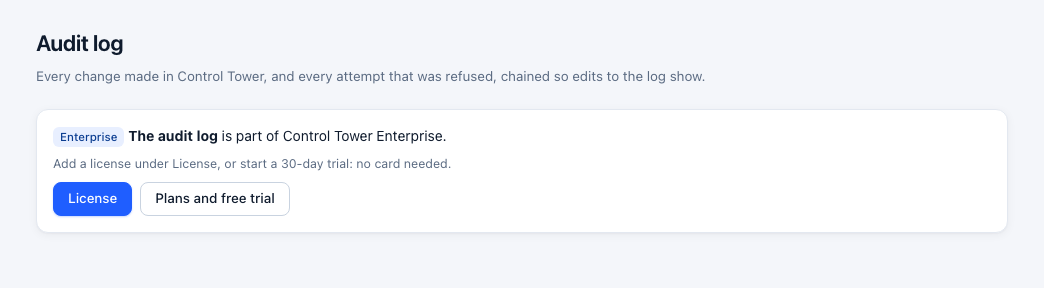
Without a license, each Enterprise feature says so where it would be:
Buying and trying
- Free trial: 30 days, 5 seats, no card. The key is emailed to the address you give, as a link that works for 24 hours. It ends on its own on its end date, on a running server as on one restarted, with no grace period; nothing is charged.
- Enterprise: a yearly subscription per deployment. The base plan includes 5 single sign-on seats and 100 million requests a year. Add seats as you grow: seats 6–25 and seats 26–100 each have their own price, and the per-seat price drops for the larger block. Monthly billing is available at a higher rate.
- More than 100 seats, or over a billion requests a year: contact sales for volume pricing.
License keys can't be forged. A key is signed with Control Tower's private key and checked on your server against the public key built into each release; the published image and npm package trust no other key, whatever their environment says.
A clock set back is noticed, not acted on. Keys are checked against the server's own clock, so they work air-gapped. Each server remembers the latest time it has seen. If its clock reads more than two days before that:
- the console tells admins;
- the audit log records it once (
license.clock_behind); - the next online renewal reports it.
The license keeps working, so a clock that was simply wrong never switches anything off. If the clock is right (it was once set ahead by mistake), an admin says so from the console's warning, and the latest time seen starts again from now (license.clock_accepted).
Plans, checkout and trial keys are at the license service (also linked from License in the console). The key is shown as soon as payment completes. Once a day, a server that can reach the license service picks up a renewed key by itself: after each renewal, and when seats change. Air-gapped servers set CT_LICENSE_SERVER=off, and their key keeps working until its end date.
API
| Method | Path | |
|---|---|---|
| GET | /admin/api/license | The license in force: status (none, valid, expiring, grace, expired, invalid), who it's for, seats and seats used, requests a year, features, end date, and (for those who see the whole install) clock: behind, high_water, behind_ms. Never the key itself |
| POST | /admin/api/license/clock | The clock is right: the latest time seen starts again from now (admins) |
| PUT | /admin/api/license | {key}: add or replace the key (admins). Refused with a reason if it isn't valid |
| DELETE | /admin/api/license | Remove the key added in the console |
Enterprise routes without a license answer 402 with {"error": {"code": "enterprise_required", "feature": "sso", …}}.